
Easter Online Safety Newsletter
We have recently noticed an increase in the number of children using WhatsApp. While this app can be a useful way for young people to communicate with friends and stay connected, it is important to recognise that it also comes with potential risks.
In particular, group chats can quickly become negative if messages are misunderstood or if unkind comments are shared. In online spaces, children can sometimes feel less accountable for what they say, which may lead to conversations becoming unkind or exclusionary. Unfortunately, this can then affect friendships and create a negative atmosphere when children see each other in school.
We encourage parents and carers to regularly talk with their children about how they communicate online, to remind them that the same expectations for kindness and respect apply both online and offline. Monitoring group chats, discussing appropriate behaviour, and reminding children to speak to a trusted adult if something online makes them uncomfortable can all help to ensure that digital communication remains a positive experience.
Please see the photo below for more information around the app and the following information below the app talks you through how to protect your child from being randomly added to Whatsapp groups.
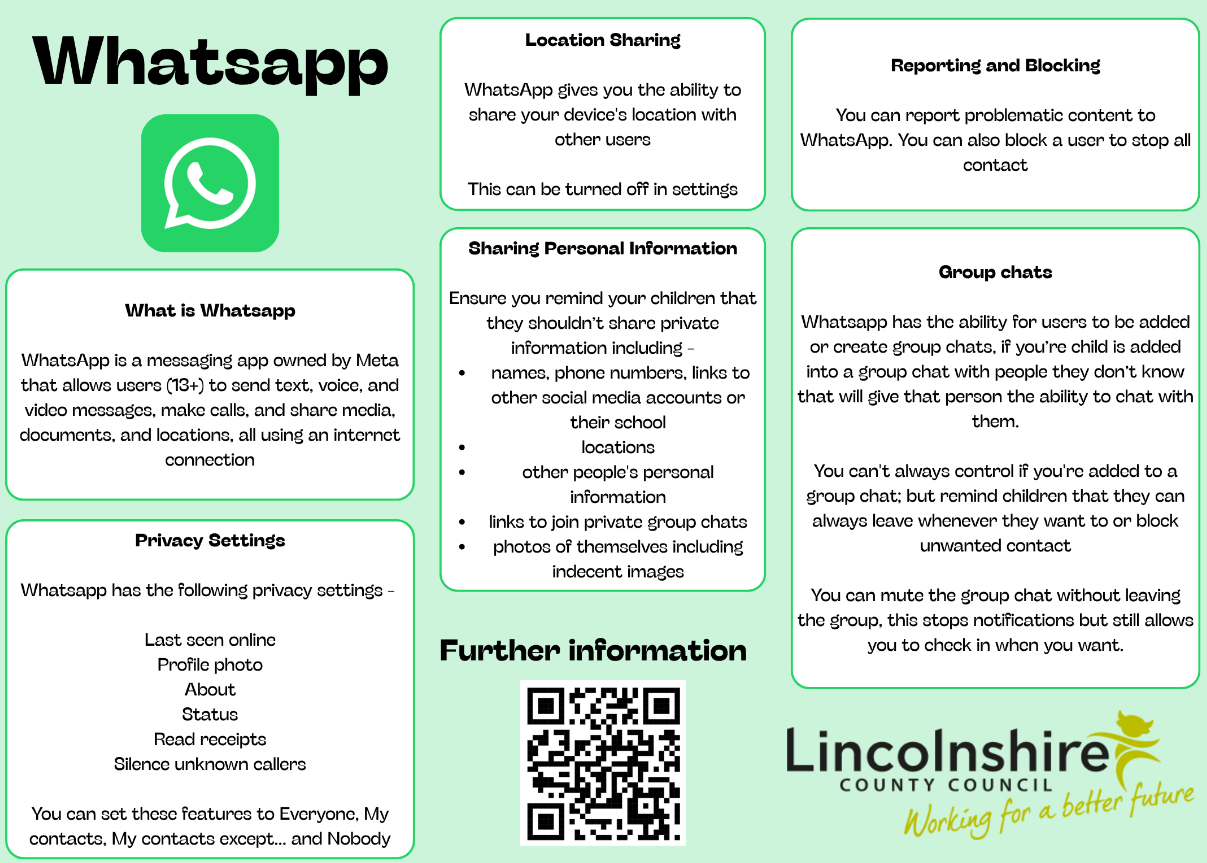 WhatsApp groups can be an incredibly useful communication tool but it can also become quite overwhelming when EVERYONE adds you to a group.
By default, WhatsApp allows ANYONE to add you to a group—they just need your phone number—but you can change this. If you tap on ‘Settings’ and then go to ‘Privacy’, one of the options is ‘Groups’. This will give you 3 options to choose from:
Anyone being able to add you to a group;
Only people in your Contacts being able to add you;
Anyone in your contacts can add you, but you can exclude people.
Once you have set this up, anyone who is not in your contacts (or anyone you have selected to exclude) has to send an invite to any new group they add you to—you can then either accept or decline.
This should help give your child some control over what groups they actually want to be involved in and can help them manage groups they don’t want to be added to.
YouTube Safety
Update: New Parental Controls
YouTube have published their latest update on how parents can support their child on YouTube. YouTube will now allow parents to set the amount of time viewing Shorts – this can even be set to zero. YouTube Shorts are short videos, usually less than 60 seconds long, which when continuously watched, can lead to excessive screentime. Furthermore, parents will also be able to set bedtime and ‘take a break’ reminders. You can find out more here: https://blog.youtube/news-and-events/updates-youtube-supervised-accounts-teens/?scrlybrkr=f1f698c5
If you would like to find out more about supervised accounts on YouTube, then this article explains the different settings available: https://support.google.com/youtube/answer/10315420?hl=en-GB&ref_topic=15279060&sjid=15225282118002181205-EU
Five Nights at Freddy's
Five Nights at Freddy's is a horror game designed to frighten players with jump scares or creepy characters. It can be accessed from several places, for example on an Xbox (PEGI rating of 12) and on the App store (age rating of 13+). There is merchandise available, which may suggest that it is child friendly. We would recommend that you preview the game first to ascertain its suitability for your child. You can view Bark’s review here: https://www.bark.us/content-review/five-nights-at-freddys-review/